One of a politician’s most important responsibilities is his or her ability to connect and build relationships with...


One of a politician’s most important responsibilities is his or her ability to connect and build relationships with...

Updated: March 16, 2025 Over the last few years, QR codes (Quick Response Codes) have become increasingly popular,...

Updated: October 19, 2026 Crowdsourcing map data through form submissions is one of the most powerful ways to use...

Google My Maps is a free map creator offered by Google. With Google My Maps, you can add locations with custom pins,...
Bring your map to the 3rd Dimension - and the Metaverse Here at Mapme, we’ve always strived to push the boundaries of...

We’re very excited to announce a major update to the editor and release of the new interactive map preview....

The majority of our customers embed their maps on their websites. However, the experience when using an embedded map...

Colors are crucial in creating visually appealing and highly usable interactive maps. With Mapme, you have complete...

We’re excited to introduce a major update to the Mapme user interface. The redesigned interface provides a clearer,...

Updated: March 16, 2025 Add and Customize US States on Your Interactive Map Manually drawing borders for US states or...

With Mapme interactive maps, you can easily display walking, hiking, and biking trails on your map to create engaging...

Updated Dec 26, 2024Looking to create detailed routes for your custom maps? Google My Maps offers a straightforward...

Last Updated: April 8, 2025 With Mapme, you can easily add various types and styles of markers to your interactive...

Updated: July 30, 2026 Downtowns hold a unique magic—but cities today face real challenges in bringing people back to...

We’re thrilled to announce the release of the new map drawings feature. This major new feature is available to all...

Updated September 17, 2021 - We have released a new feature to easily change the background colors for all the views....

We’re thrilled to announce that Mapme’s new mobile design is finally here! After many months of intense development...
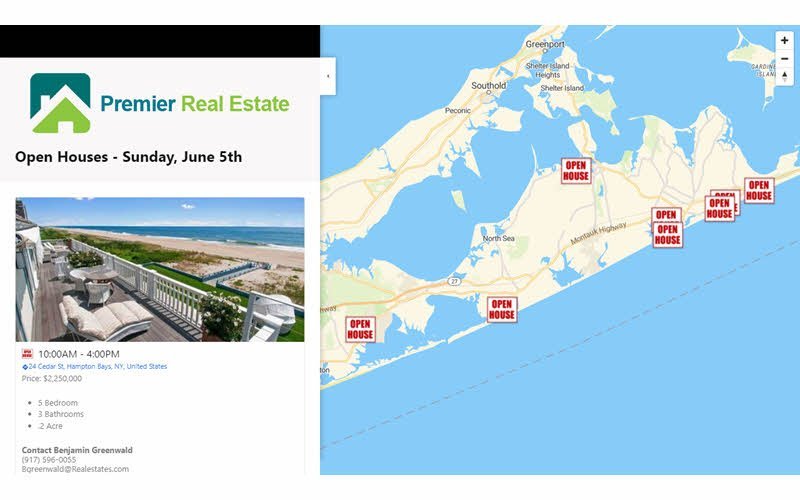
The default width of the Mapme content panel is set to provide a good amount of real estate for your content while...

You can easily add call-to-action buttons (CTA) on your interactive map. Some popular examples of call-to-actions...

Mapme provides many options to add branding to your interactive map. For example, you can add your logo in the map...